
Track your study streaks and topical progress with our redesigned dashboard
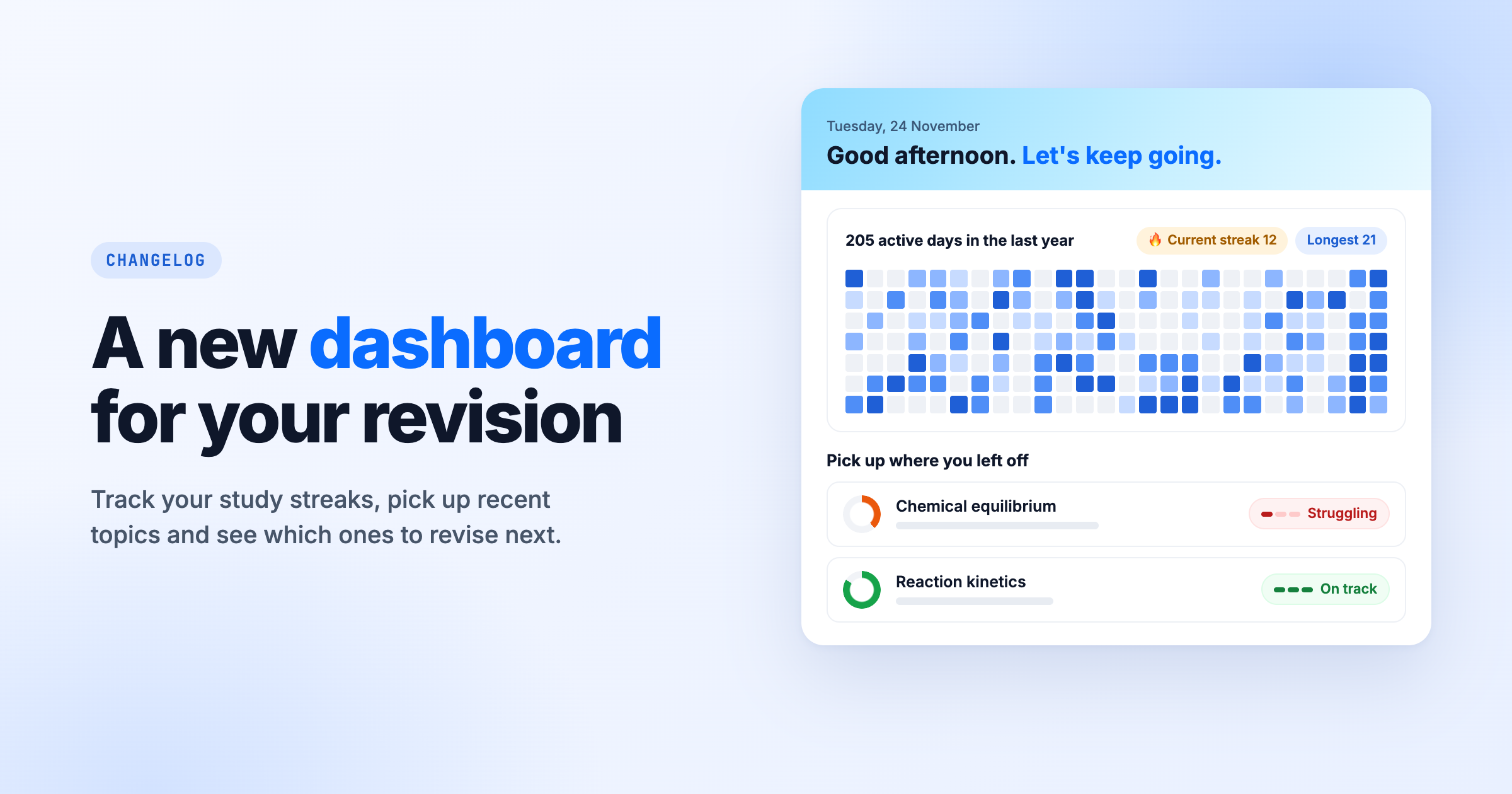
We've redesigned the Dashboard to give you a clear view of your progress. You can now see your study activity and streaks, return to recent topics with your quiz level on each one, and find the topics that need more practice across the app. The update also brings a refreshed sidebar, a new way to read search results and an updated Topical Past Paper section.
1. A new Dashboard
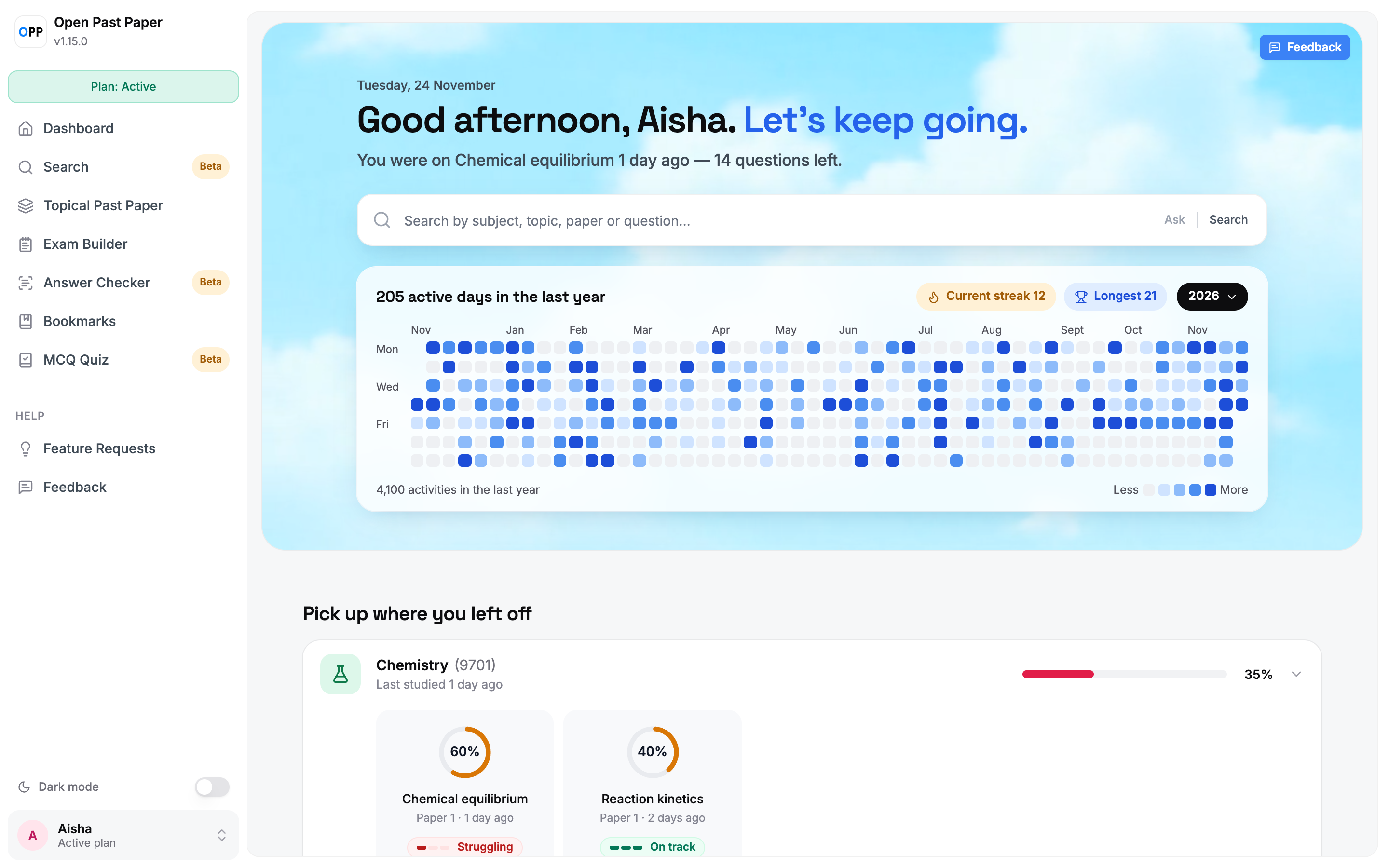
The Dashboard now opens with a personal greeting and a sky that changes with the time of day, from morning through to night. Just below, it shows the topic you last worked on and how many questions are left, so you can continue in one click. You can also search for any subject, topic, paper or question directly from the Dashboard.
2. Track your study activity and streaks
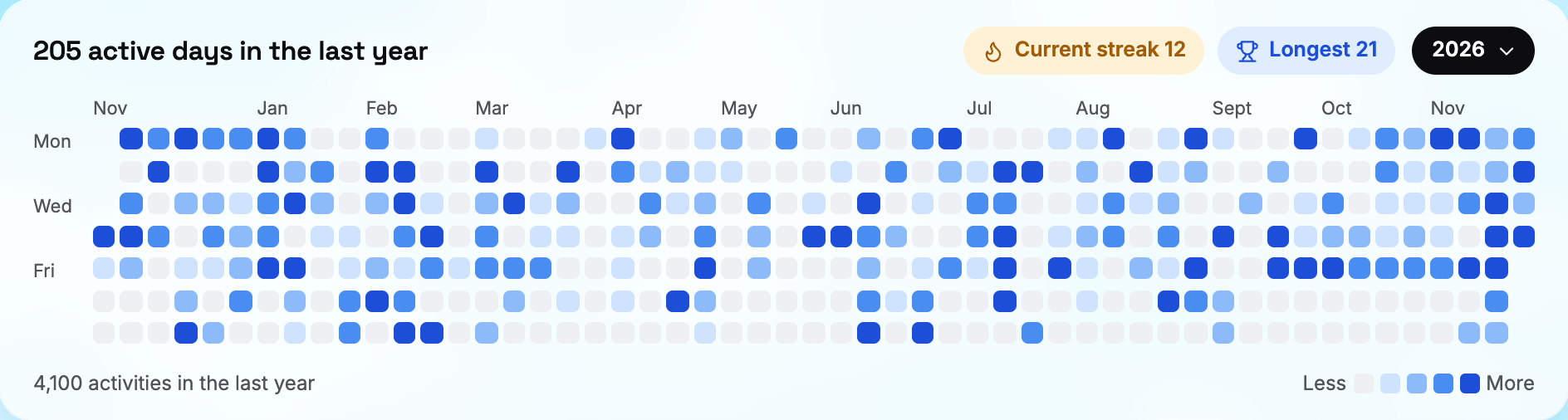
The activity heatmap shows every day you studied over the past year, with darker squares on the days you did more. Viewing questions, generating papers, taking quizzes and checking answers all count towards your activity. Your current streak and longest streak are shown alongside, and the year filter lets you look back at previous years.
3. Pick up where you left off section updated
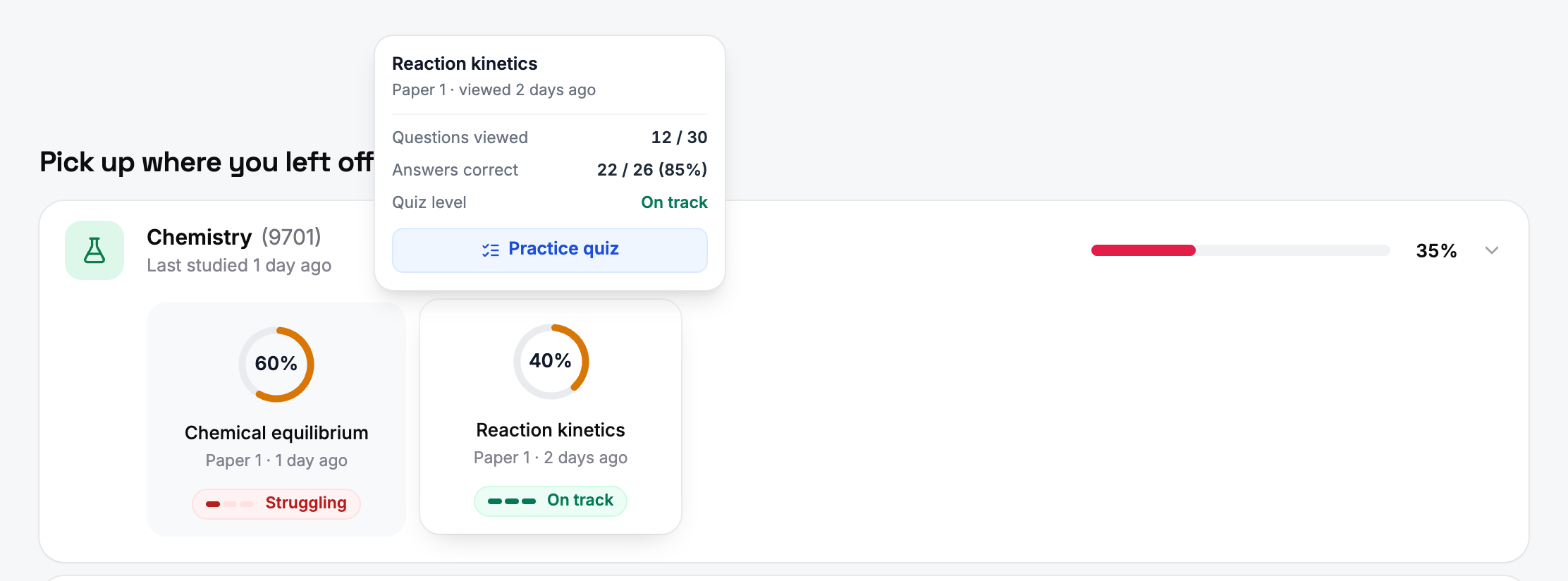
Your recently studied subjects appear with your overall progress, and each one expands when hovered to show the topics you worked on and when you last studied them. For MCQ topics, a level tag shows how you are doing: Struggling, Getting there, Almost there or On track. Levels appear once you have answered 10 questions on a topic, and until then the card shows how many answers are left. Hover over a topic to see its details, or select Practice quiz to start a quiz on that topic with the setup already filled in.
4. Need focus tags
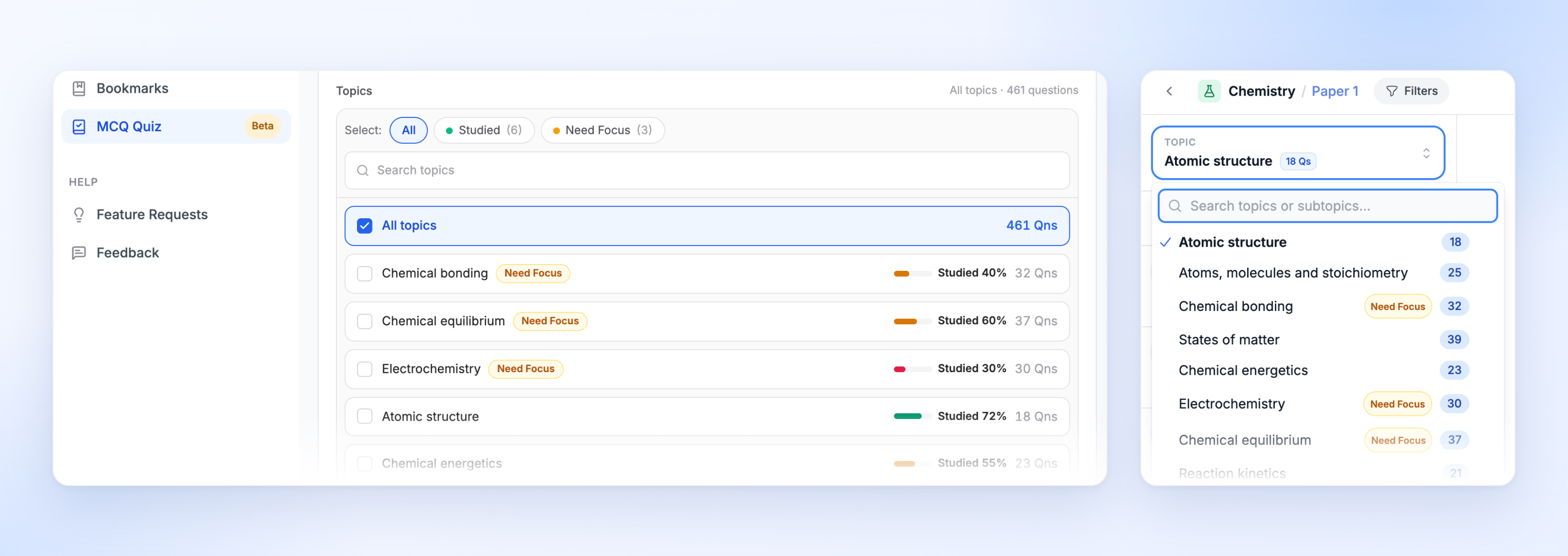
Topics where your quiz accuracy is low are now marked Need Focus in MCQ Quiz, Exam Builder and Topical Past Paper, so you can see what needs more practice. Filter the topic selector by Studied or Need Focus to build a quiz or paper around them. As your accuracy improves, the tag clears.
5. Other improvements
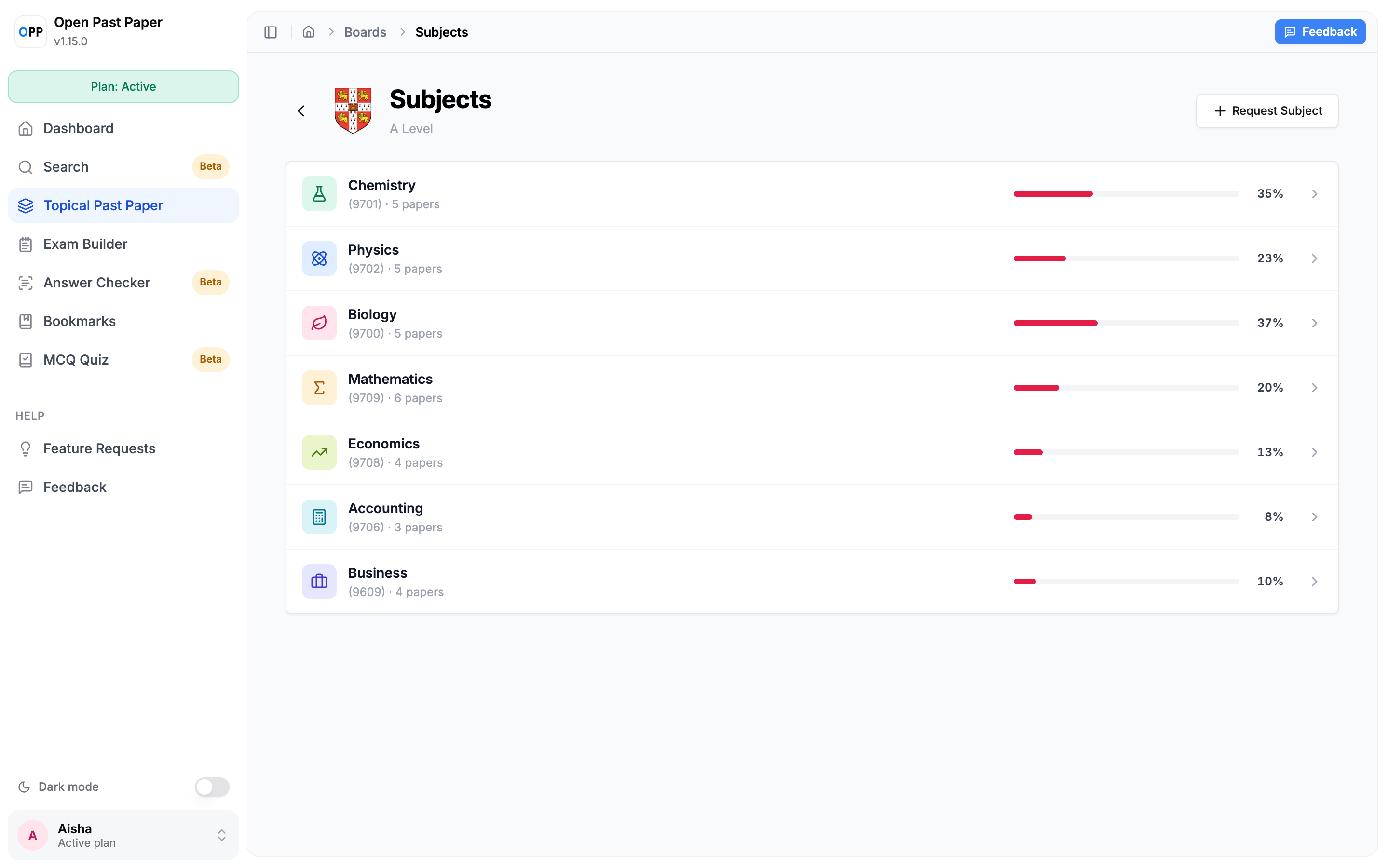
- Sidebar: a refreshed design, with the dark mode switch now in the sidebar.
- Search: results now open in a side viewer, so you can read a question and its mark scheme without leaving your results.
- Topical Past Paper: exam boards now show their logos and the number of subjects, and subjects show their icons and number of topics.