
AI Answer Checker added
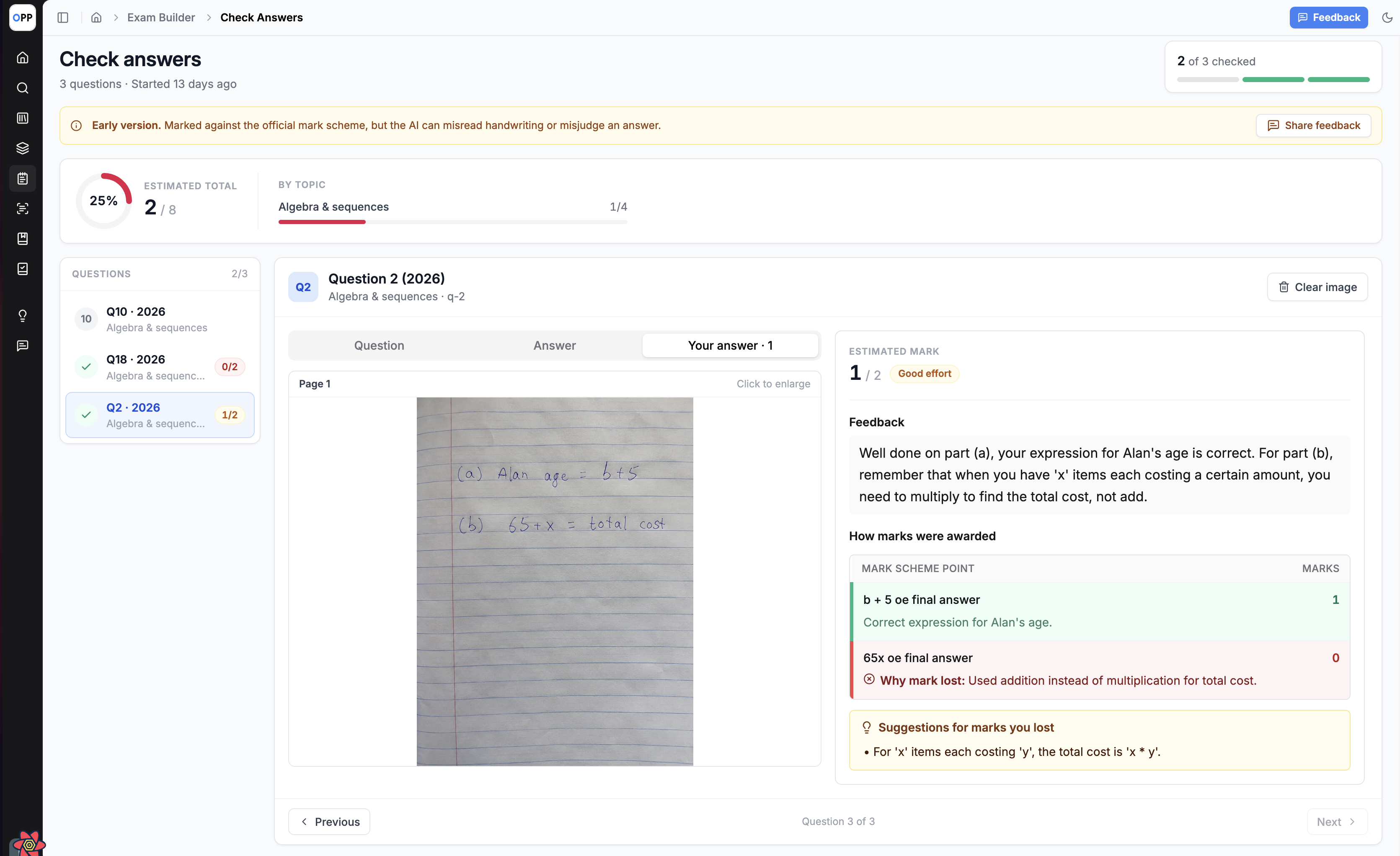
Our new AI Answer Checker brings marking directly into your exam practice. Generate a paper in Exam Builder, write your answers on paper, then upload a photo of your work. The checker evaluates your answers against the official mark scheme and provides an estimated mark, with a clear breakdown of where marks were gained and lost. Now available in Beta for Premium users.
1. Upload your answers
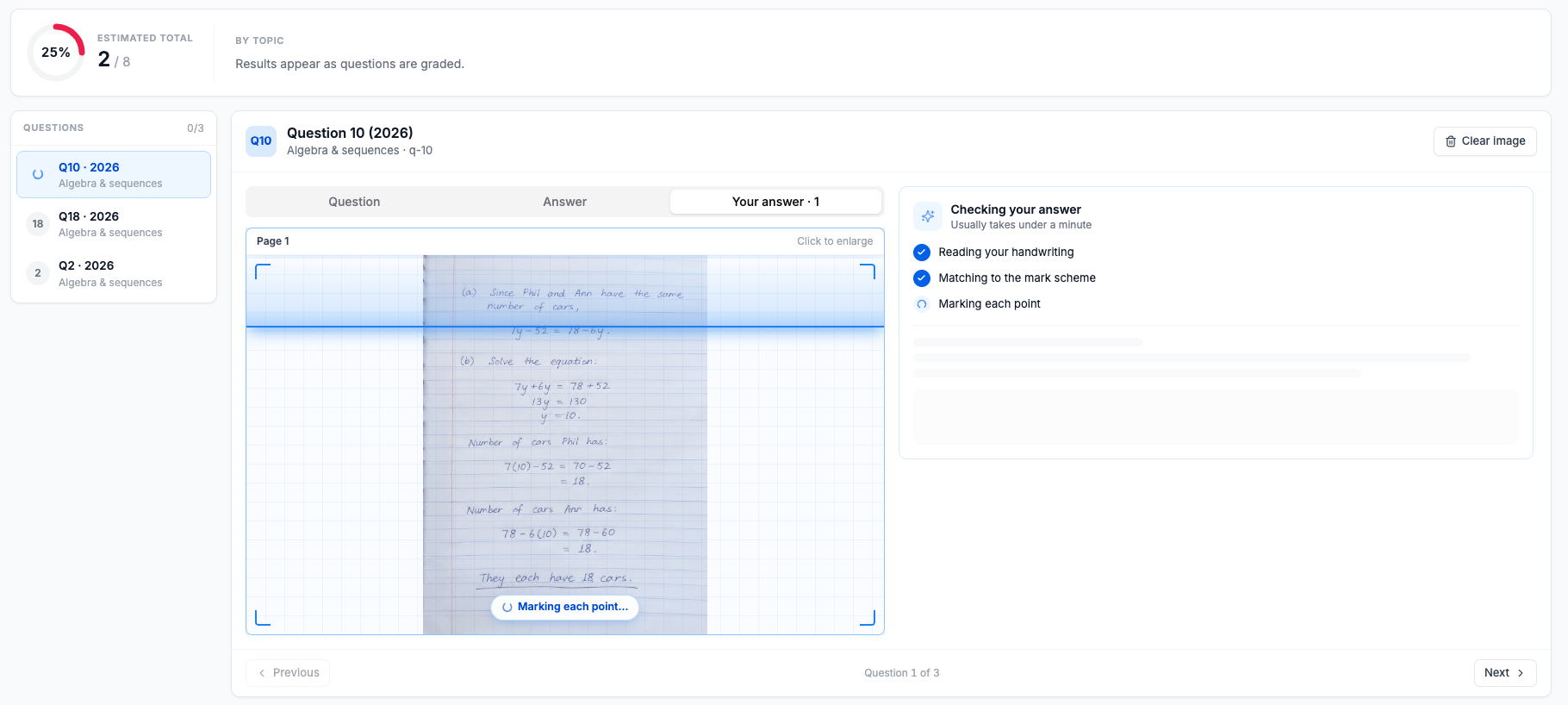
Select Check answers on any generated paper, available from the Generation History tab/Generation Status panel or the new Answer Checker tab in the sidebar. Upload photos from your computer, or scan the QR code to upload directly from your phone.
2. Receive an estimated mark
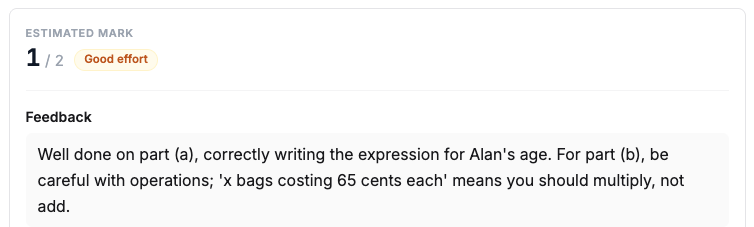
Each answer is assessed against the mark scheme point by point, giving you an estimated mark for every question and an estimated total for the paper.
3. Review where marks were gained and lost
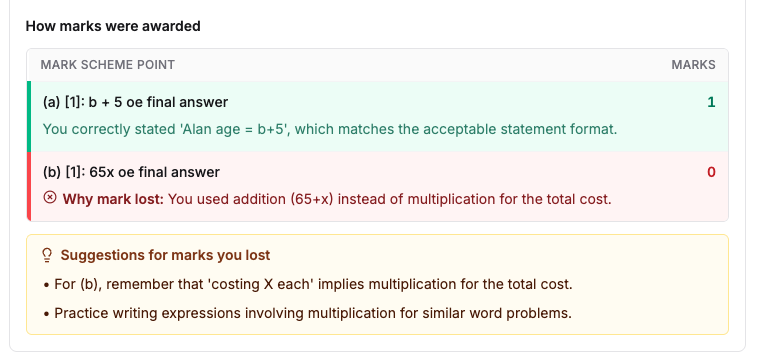
Open any question to see how marks were awarded, why marks were lost and suggestions to improve. The worked solution, question and mark scheme are available alongside for reference.
4. Availability
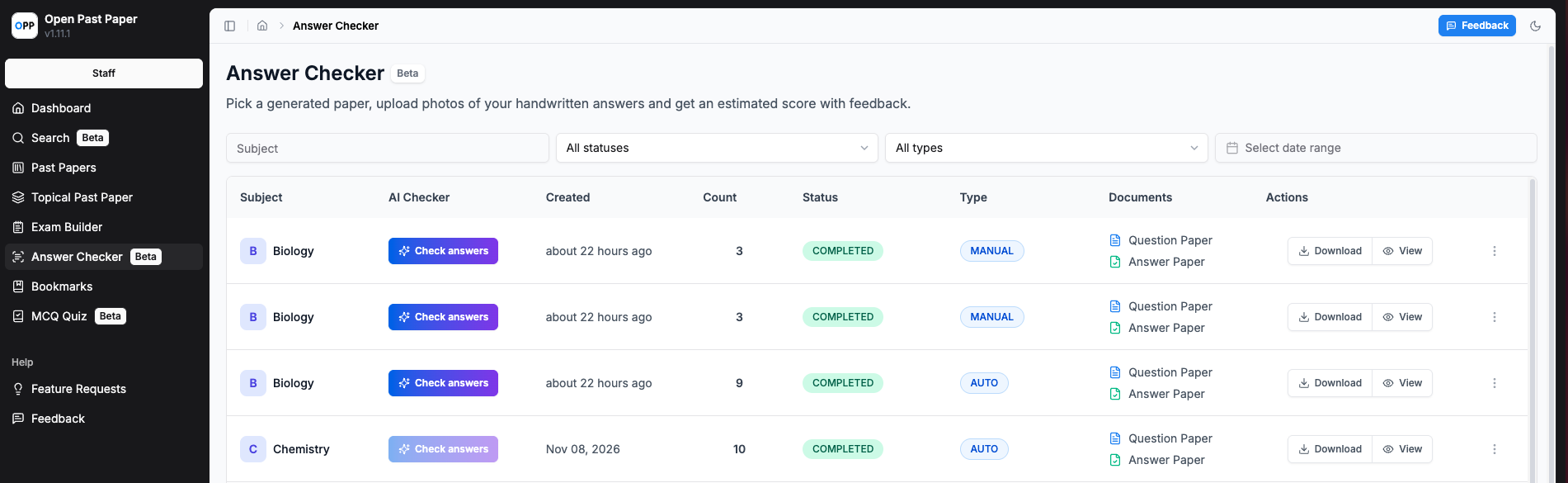
The AI Answer Checker is currently in Beta, so marks should be treated as an estimate rather than an official grade. It is available only for Premium users, with a daily allowance of checks. MCQ papers are not supported; use MCQ Quiz builder for those instead.